
A desk mat usually covers the keyboard and mouse area; a mouse pad usually serves the mouse alone. An extended mouse pad can do both, so names overlap. Choose by dimensions, surface, and your actual layout.
For gaming, bigger helps when you run out of movement room. It does not automatically improve aim or make the surface faster. For work, more coverage can bring the keyboard and mouse onto one surface, while a smaller pad leaves more bare desk available.
Desk mat vs mouse pad at a glance
| Decision | Desk mat | Mouse pad |
|---|---|---|
| Space covered | Often keyboard plus mouse | Usually mouse only; extended pads overlap |
| Layout flexibility | One broad footprint to accommodate | Easier to move independently of keyboard |
| Gaming choice | Useful if it provides the mouse area you need | Can suit a specific speed or control preference |
| Personal image | Room for a wide scene or pattern | Smaller, focused visual area |
| Care | More material to lift and clean | Smaller area to handle; follow its care instructions |
For gaming, measure free mouse space
A 32-inch-wide mat does not give you 32 inches of mouse travel if a keyboard occupies much of it. Measure the clear area beside the keyboard, then check depth. Reproduce your normal movements before deciding whether a wider mat solves the problem.
If your current pad already gives enough room, focus on surface feel instead. Speed, stopping feel, base stability, and edge comfort are separate decisions from overall size. Razer's mouse-mat selection guide also treats sensitivity and surface as key factors.
We have not benchmarked PrintAIArt desk mats against specialist esports pads. Choose a custom desk mat for the layout and personal design you want; do not treat a larger image area as a performance guarantee.
For work, check what needs a hard surface
A shared mat can make keyboard and mouse placement feel consistent. A separate mouse pad may suit a desk that frequently switches between typing, notebooks, paperwork, or craft tools. Test where each object actually sits rather than covering the desk by default.
Keep the monitor base and cables in mind. A mat that is too deep can run into a stand or hang over the front edge. A softer layer may change typing sound, but the result depends on the keyboard, desk, and mat; it is not a substitute for changing a noisy keyboard.
Try the footprint before buying
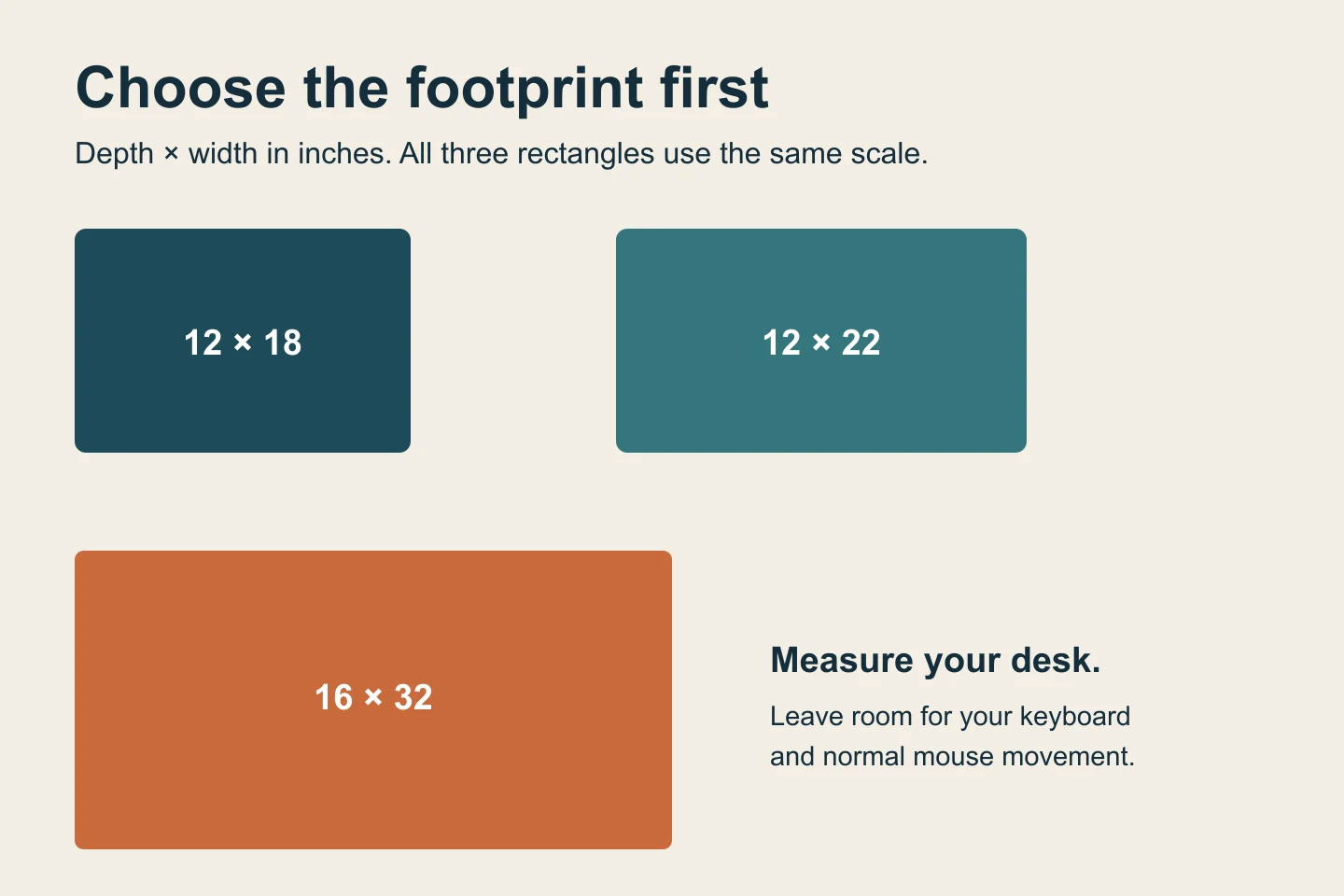
- Place the keyboard and mouse where they feel comfortable.
- Measure their combined footprint and leave room for normal mouse movement.
- Mark the proposed mat edges with paper.
- Check monitor clearance, desk depth, and any space you want to leave uncovered.
Choose a desk mat when...
- You want the keyboard and mouse on one continuous surface.
- Your existing mouse area is too small and the larger footprint fits.
- You want a landscape, pattern, or personal image visible around your equipment.
Choose a separate mouse pad when...
- You need to move it independently or leave more desk uncovered.
- You want a particular surface feel that matters more than shared coverage.
- Your desk cannot accommodate the depth or width of the mat you are considering.
Make the surface personal
If a desk mat fits your layout, choose your size, then upload an image or create one during the design step. Keep the focal point out from under the keyboard and review the crop yourself.
Automatic AI upscaling is included with every order. Upload your best original. We prepare it for the selected product and print area, so you do not need to buy an upscaler or manually enlarge the file. AI upscaling can support much larger prints and improve apparent sharpness and detail. Severe blur, missing information, or incorrect generated text still need attention.
See how to design a custom desk mat for size ratios and image ideas.
Common questions
Can a desk mat replace a mouse pad?
It can when the material works with your mouse and gives you the movement and feel you want. Some desk protectors are intended mainly for writing, so check the actual product.
Is a large mouse pad the same as a desk mat?
Sometimes. Compare dimensions and surface specifications instead of assuming the product name defines a different category.
Does a desk mat make gaming better?
It can remove a space constraint. It does not by itself establish better tracking, aim, or comfort for every user.
About this guide
Prepared by PrintAIArt, a seller of personalized printed products. Product options and upload requirements were checked against the current catalog and ordering flow on September 30, 2026. Product scenes are illustrative mockups, not evidence of a physical print test. Final preparation and fulfillment include operational review. Contact us about your image or a correction.